Skip to content

New in 0.18: unlimited free sites, Pro sites and SFTP publishing. Read the changelog

BetaEverything is included during the beta

From Markdown to live site, in one click.

A native desktop app to manage and build your static sites. Cecil is embedded: nothing else to install.

Version 0.18.0

Windows 10+ · macOS 12+ (Intel and Apple Silicon) · PHP and Cecil embedded

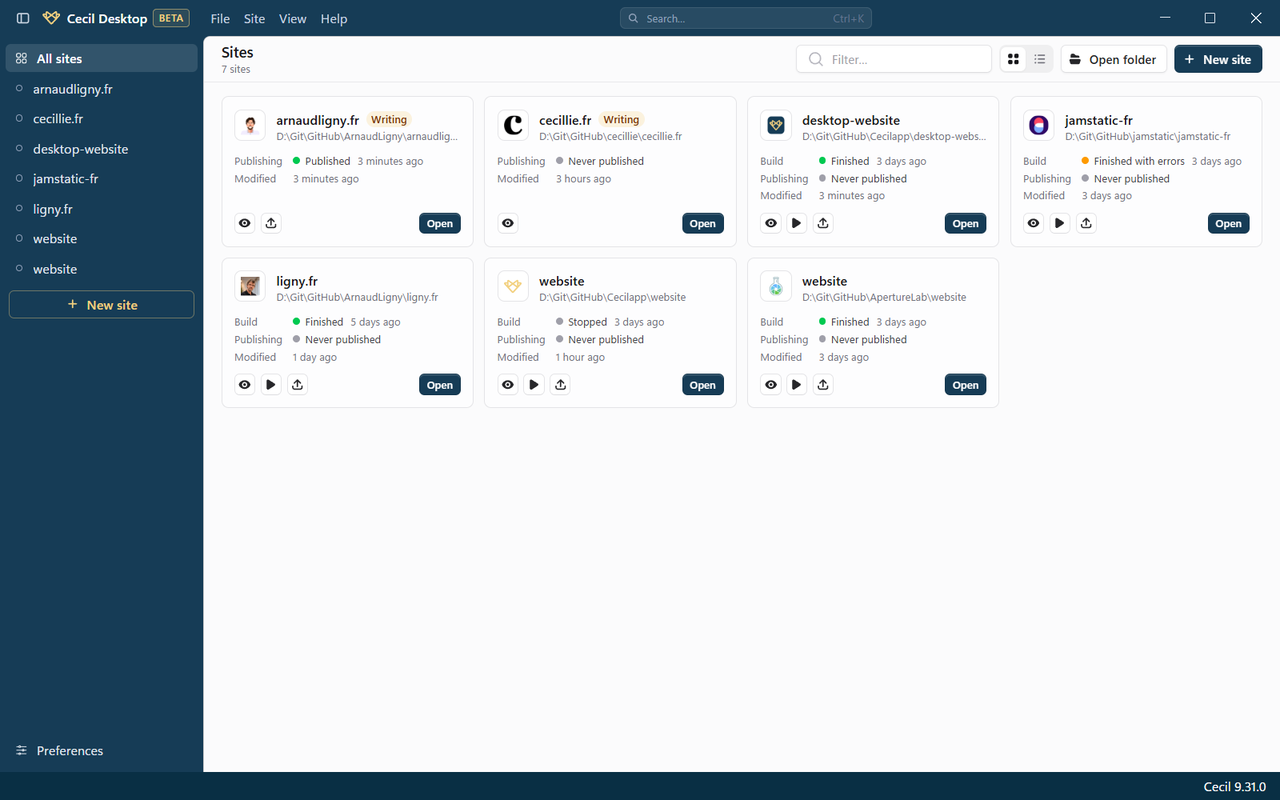
Cecil Desktop listing the sites, with the state of their last build and publication

Publish where your sites already live.

Directly through the hosts' APIs, without any CLI to install.

  • Netlify Host
  • Vercel Host
  • GitHub Pages Host
  • AWS S3 Host
  • SFTP Your server
  • GitLab Git forge
  • Codeberg Git forge

One app, the whole cycle

Everything Cecil does, at your fingertips.

Build logs, live preview, Markdown editor and deployments in one window. Raw configuration and detailed logs stay visible.

Write

Write content, see it live

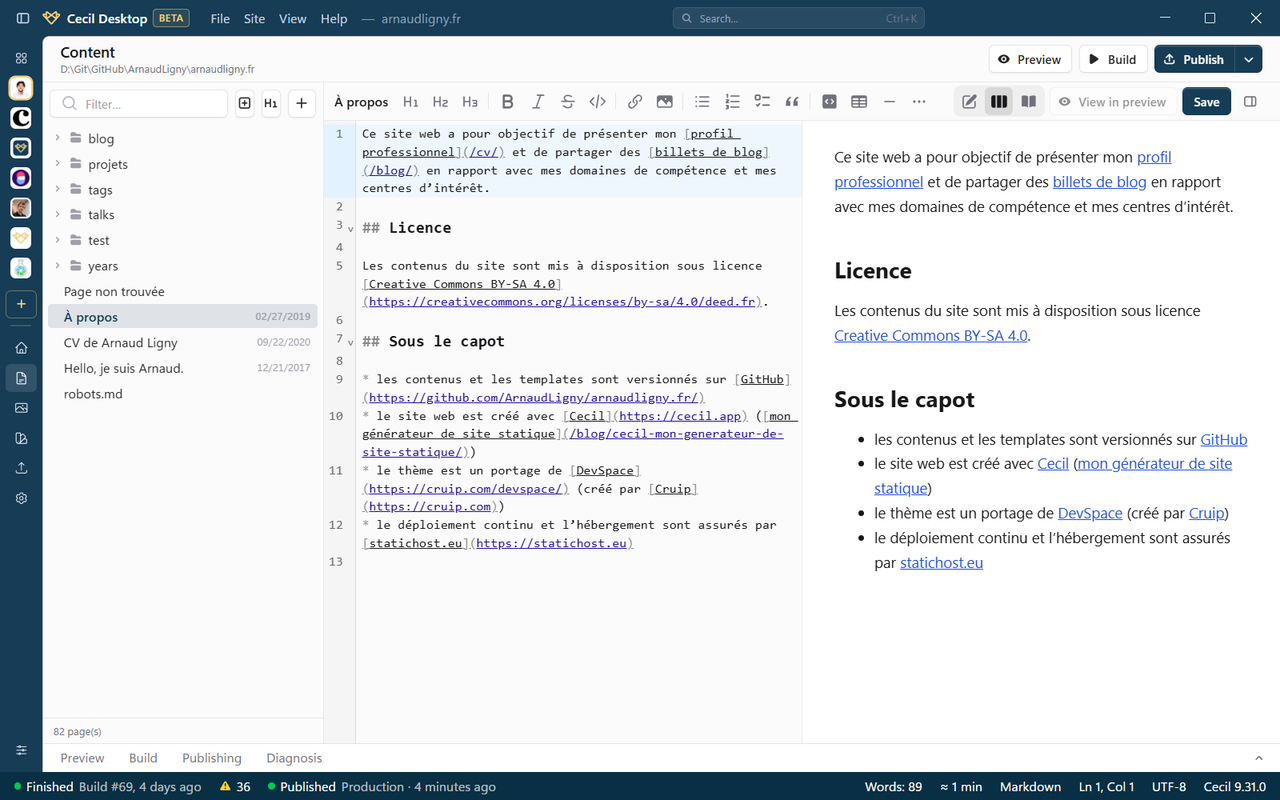
Browse the pages/ tree, edit Markdown with syntax highlighting and fill the front matter through a form. Save, and the preview reloads in your browser.

  • Formatting toolbar and shortcuts, outline and word count
  • Rendered page next to the editor, or focus mode for the text alone
  • Images dropped, pasted or picked, copied into the site
  • Front matter form checked like Cecil does, raw YAML for the rest
  • Open any page in your external editor
Read the documentation: Write content, see it live

Markdown editor with the pages tree and the live preview

Build

Build, check, fix

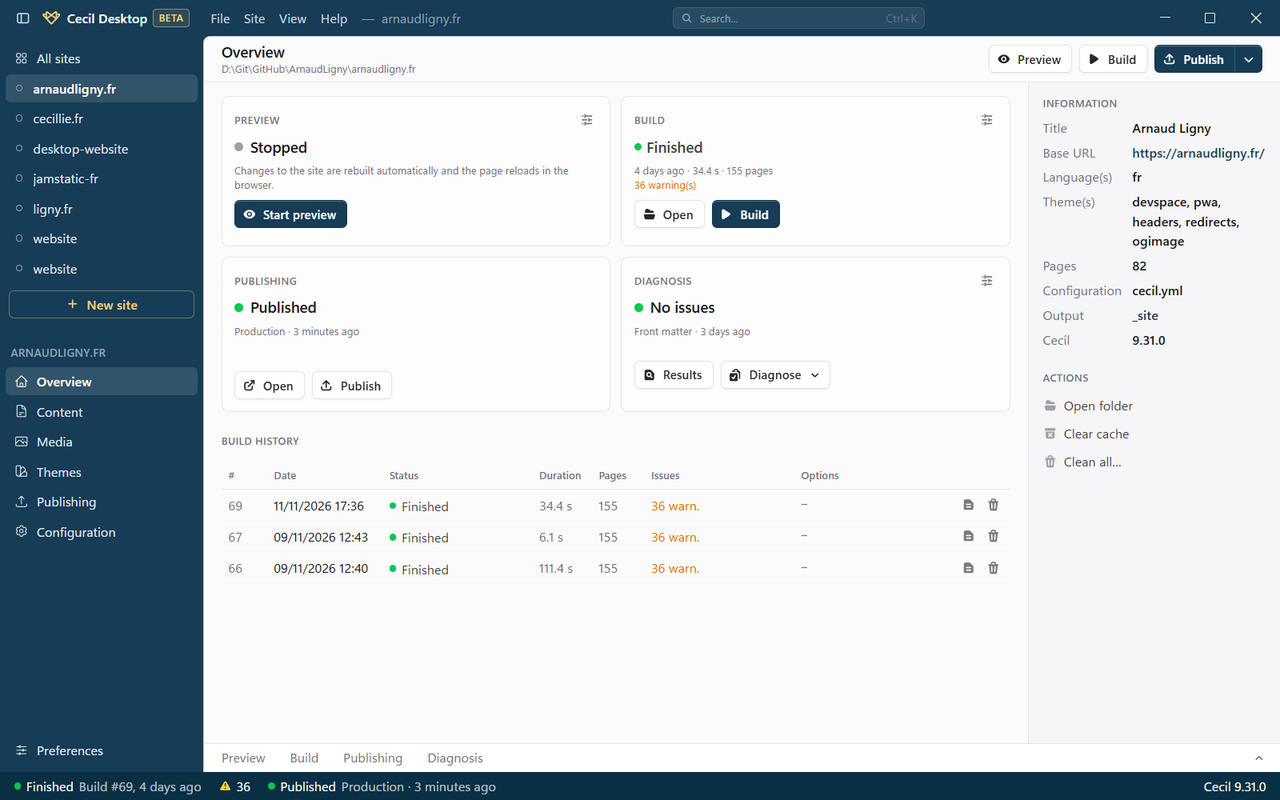
One click builds the site with Cecil. Logs stream into the output panel, and problems are grouped by message, so a warning repeated fifty times shows up once, with its count.

  • Build options (drafts, dry run, optimization, base URL)
  • Diagnostics of the configuration, front matter, SEO and links
  • History of the builds, with their duration and problems

Read the documentation: Build, check, fix

Overview of a site, with the state of its preview, build, publishing and diagnostics, and the history of its builds

Publish

Publish anywhere, your tokens stay safe

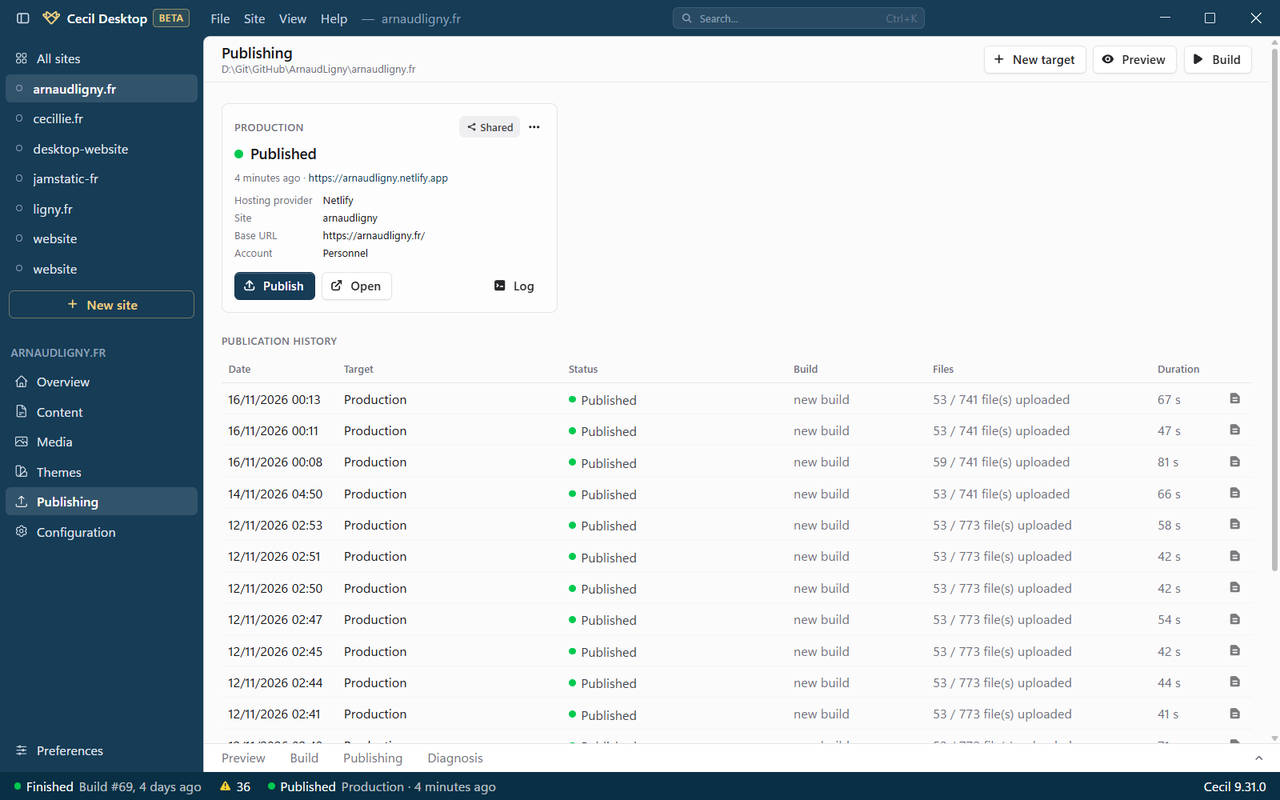
Deploy to Netlify, Vercel, GitHub Pages or AWS S3 directly through their APIs, or to your own server over SFTP. Only the changed files are sent, and every deployment is kept in the history. Tokens are encrypted with the system keychain and never written to your projects.

  • Several targets per site (production, staging…)
  • Differential uploads, no git, Netlify or AWS CLI required
  • Windows Credential Manager and macOS Keychain
  • No telemetry

Read the documentation: Publish anywhere, your tokens stay safe

Netlify publishing target, with the deployments history

Sync

Git built in, no Git to install

Open a site from its repository, fetch the changes of the others and send yours, conflicts included. GitHub, GitLab, Gitea, Codeberg…

  • Open, fetch and send in the free version
  • Your repository stays a standard Git repository

Read the documentation: Git built in, no Git to install

Writing mode

Hand the site to those who write it.

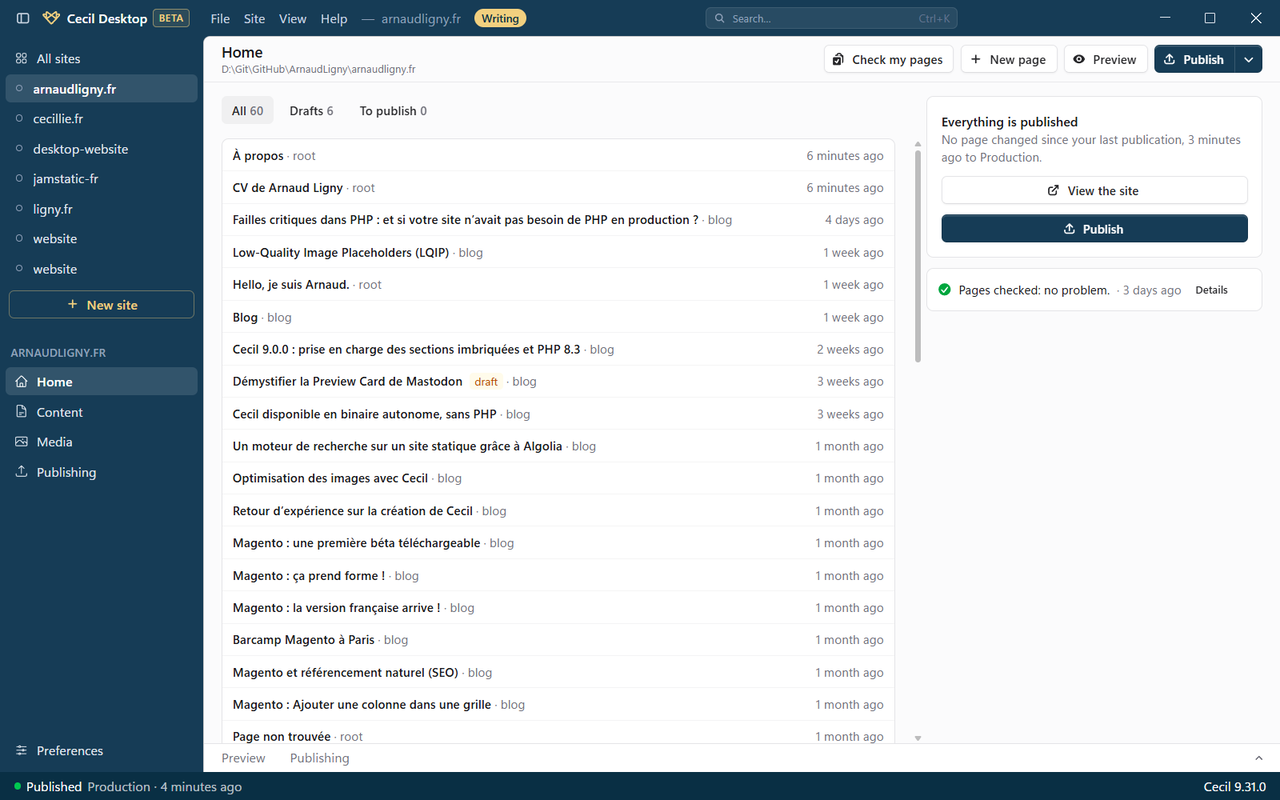
Open a site in Writing mode for a client, a writer or a team: they get their pages, the media, the preview and publishing. The configuration, the theme and the builds leave the interface.

Read the documentation: Writing mode

Home of a site in Writing mode, with the latest pages, the pages to publish and the sidebar reduced to content, media and publishing
  • A home made for writing

    The latest pages, the drafts and the pages to publish, as soon as the site opens.

  • Chosen sections

    The site manager decides which sections of the site can be edited.

  • Rights on the pages

    The site manager sets what writers can do with the pages.

  • Versioned profile

    A small .cecil-desktop.yml file follows the site, without any token.

  • Everyone publishes

    Each writer publishes with their own hosting account.

  • Free for writers

    No license for the writers: only the site manager needs Pro.

Cecil Desktop Pro

Made for your clients' sites.

Choose 5 Pro sites: they get several publishing targets, the SEO and links diagnostics and the full writing profile. Your other sites stay free, without limit.

See the pricing

  • 5 Pro sites Of your choice, reassignable
  • Several targets Production, staging…
  • SEO and links Full diagnostics
  • Pages schema Form of the front matter
  • Writing profile Sections, rights, shared targets
  • 3 computers All updates included

And everything you expect.

More than 5 client sites? Add a pack of 5 Pro sites for 29 € per year.

See the pack

Pricing

Free for all your sites. Pro for your clients' sites.

A yearly subscription, cancel anytime. During the beta, everything is included.

Free

To discover Cecil Desktop and manage all your sites.

0 € forever

  • Unlimited sites
  • Build, preview and content editing
  • Publish to Netlify, Vercel, GitHub Pages or S3 (1 target per site)
  • Themes and basic diagnostics
  • Git sync (open, fetch, send)
  • Writing mode, for every site a manager hands you
Download free

Pro Freelancers and agencies

For freelancers and agencies managing the sites of their clients.

59 € per year

  • Everything in Free, plus:
  • 5 Pro sites of your choice
  • Several publication targets per site
  • SEO and links diagnostics
  • Form of the pages schema
  • Writing profile: editable sections, rights on the pages, shared targets
  • All updates, on 3 computers
  • Supports the development of Cecil
Get Cecil Desktop Pro

Available after the beta

Pro sites pack

For agencies managing more than 5 client sites.

+29 € per year · 5 sites

  • Added to a Pro license:
  • +5 Pro sites per pack
  • As many packs as needed
  • A released site keeps its slot for 30 days
Add a pack

Available after the beta

Cancel anytime: at the end of the period, back to the free version, without losing anything.

A few questions.

Another question? Read the documentation, or ask it from the app with Help › Send feedback.

What is Cecil Desktop?

A desktop application to manage your Cecil sites: create, edit, build, preview and publish them without typing a single command.

Do I need to install PHP or Cecil?

No. Cecil Desktop embeds PHP and Cecil. The embedded Cecil version is shown in the app, and is updated with each release.

Do I need to install Git?

No. Git sync is built in: Cecil Desktop opens a site from its repository (GitHub, GitLab, Gitea, Codeberg…), fetches the changes of the others and sends yours, without Git on your computer. Your repository stays a standard Git repository, that you can keep using from your terminal. See Git sync.

Does it replace my code editor?

No. The built-in editor is made for content (Markdown and front matter), and a page opens in your favorite editor in one click. Templates and assets stay in your code editor.

Can I give a site to a non-technical writer?

Yes. Open the site in Writing mode for everyone, with a small profile file versioned with the site (.cecil-desktop.yml): the writer gets the pages of the sections you chose, the media, the preview and publishing, and nothing else. They publish with their own hosting account: the site never contains a token.

Does the writer need a Pro license?

No. The Writing mode is free. Pro is for the manager, to choose the editable sections, the rights on the pages and the shared publishing targets: every writer of a Pro site benefits from them, without a license.

Is the Writing mode a security feature?

No. It is a mode of the interface, to make writing simpler: anyone can switch back to the Management mode on their computer (after a confirmation), and the files of the site belong to whoever has them on their disk.

Where are my sites and tokens stored?

Your sites stay where they are, on your disk: Cecil Desktop doesn't move or convert anything. Hosting tokens are encrypted with the system keychain.

What is a Pro site?

A site the Pro features apply to. The license gives 5 of them, that you choose in the app, and packs of 5 Pro sites can be added for 29 € per year. Your other sites stay managed with the features of the free version. A freed slot can be given to another site 30 days later. See Cecil Desktop Pro.

What happens if I stop the Pro subscription?

The Pro features stay available until the end of the paid period. After that, Cecil Desktop works like the free version, without taking anything away: your sites, your targets and your writing profiles stay usable, only adding more is limited.

Which systems are supported?

Windows 10+ and macOS 12+ (Intel and Apple Silicon). Linux is planned.

Why does my system warn me when installing?

Cecil Desktop is not signed yet, so the system warns about an unknown publisher. On Windows, click More info then Run anyway. On macOS, open System Settings › Privacy & Security and click Open Anyway. Signing is on its way.

Is it open source?

Cecil, the static site generator (CLI) embedded in Cecil Desktop, is open source: its source code is on GitHub. Your sites stay standard Cecil projects, that you can build without the app.

Your next site is one click away.

Download Cecil Desktop for free, and open your first site in seconds.

Version 0.18.0

The Cecil ecosystem.