
Configuration
The Configuration section of a site (Ctrl/⌘+5) edits its configuration file (cecil.yml), in 3 tabs: Form, Advanced and YAML.
Only the changed entries are rewritten: the comments and the rest of the file are kept. An empty field keeps the default value of Cecil, shown as its placeholder.
Form
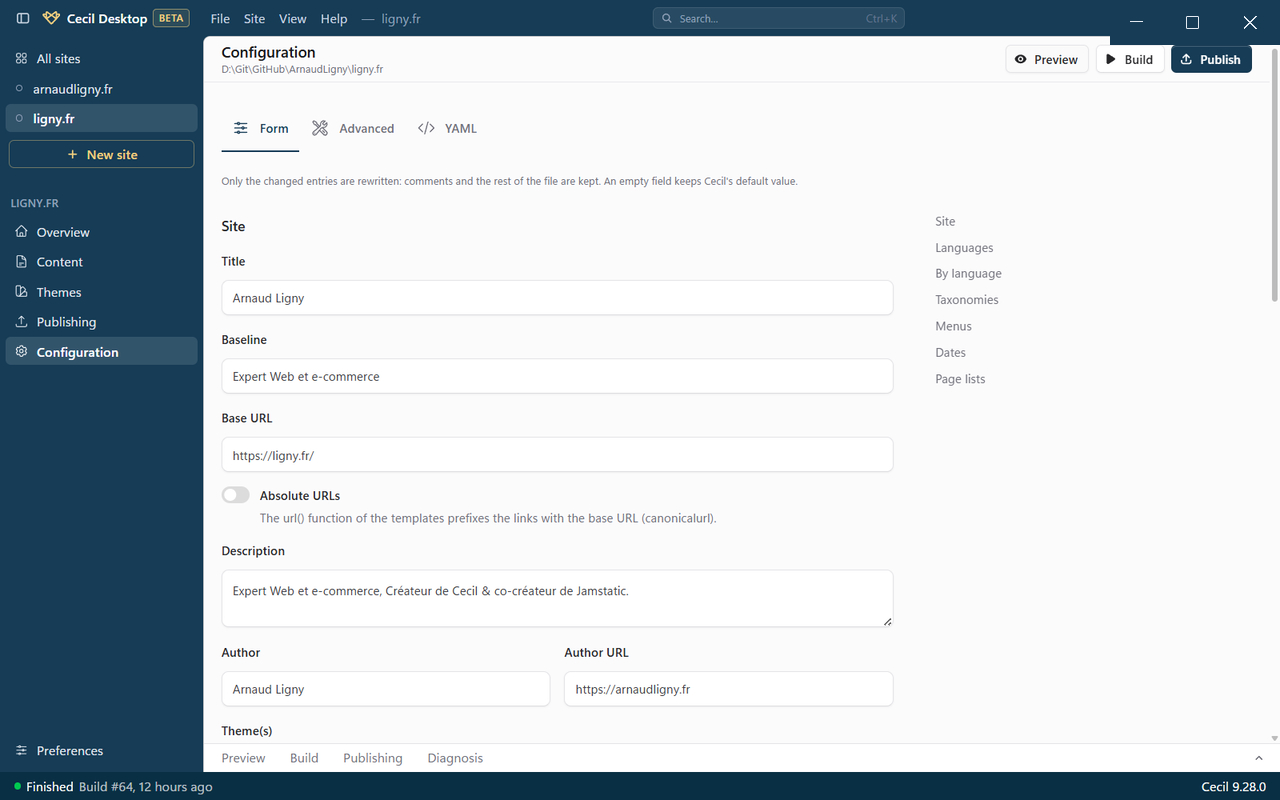
The table of contents, on the right, goes to each group of options:
- Site: title, baseline, base URL, absolute URLs, description, author, and Theme(s), separated by commas, in order of priority;
- Languages: the main language (and whether its pages are prefixed too, e.g.
/en/…), and the other languages, with their code, name and locale; - By language, when the site has several languages: the title, baseline, description, author, date format and menus of each language (an empty field uses the value of the site);
- Taxonomies: their plural and singular names (
disabledto disable one); - Menus: entries added to the pages that have a
menuvariable in their front matter; - Dates: their format and time zone;
- Page lists: their sorting (date, updated, title or weight), order and pagination.
Advanced
The build options: the default values of Cecil suit most sites.
- Pages: the path of the next pages of a list, and the Front matter check (
pages.validation):error(an invalid page is skipped),warning(the page is kept, with a warning),strict(the build fails) or disabled; - Assets: fingerprint in the file names, minification of CSS and JavaScript, Sass output, quality and optimization of the images;
- Optimization of the generated files (HTML, CSS, JavaScript, images);
- Cache and output: the cache, and the cache and output folders.
YAML
The YAML tab edits the whole file, for the options that are not in the form (e.g. pages.schema). Check checks it without saving.
Save
When something has changed, a bar shows Unsaved changes, with Discard changes and Save (Ctrl/⌘+S).
Before writing the file, the configuration is checked against the schema of Cecil: if it is invalid, or uses deprecated options, it is not saved, and Go to line … opens the YAML at the faulty line. A tab with errors shows their number.