
Cecil Desktop Pro
Cecil Desktop is free for 1 site. Cecil Desktop Pro is a license to go further, and to support the development of Cecil.
Free version and Pro
| Free | Pro | |
|---|---|---|
| Sites | 1 | Unlimited |
| Publishing targets per site | 1 | Several (production, staging…) |
| Build, preview, content editing, themes | ✓ | ✓ |
| Diagnoses: configuration, front matter, cache | ✓ | ✓ |
| Diagnoses: SEO and links | ✓ | |
| Form of the pages schema | ✓ |
The Pro features are shown in the app with a Pro badge. Without a license, nothing you already have is taken away: your sites and targets stay usable, only adding more is limited.
Price
49 €, paid once: a perpetual license, with 1 year of updates, on 3 computers. Buy it from the pricing section of the website, or from Help › Cecil Desktop Pro… in the app.
The payment is handled by Polar, which sends the license key by email.
Activate the license
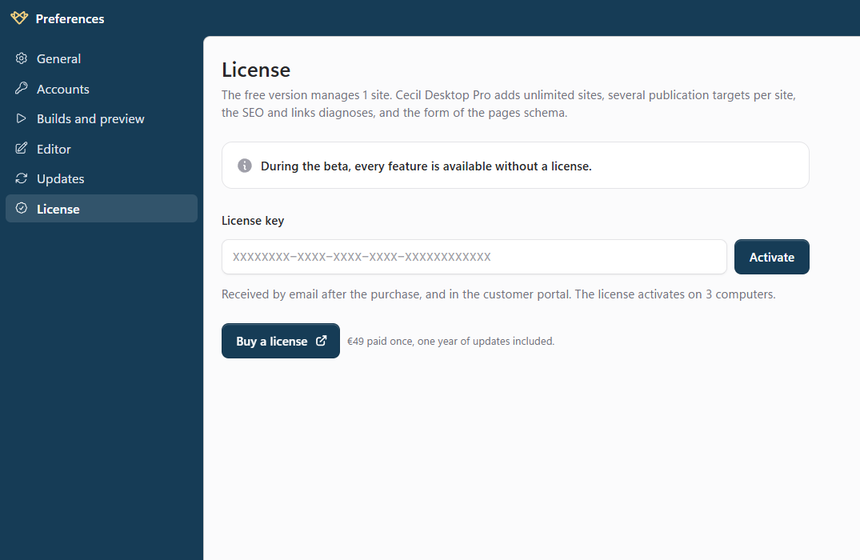
- Open Preferences › License (
Ctrl/⌘+,). - Paste your License key, received by email after the purchase (it is also in the customer portal).
- Click Activate: the key is checked online, then stored encrypted with the system keychain.
The license card then shows your name, the purchase date, the versions covered by your updates and this computer.
Check and move the license
- The license is checked again in the background every week. Offline, it keeps working for 30 days: after that, connect to the Internet and click Check.
- To move the license to another computer, click Deactivate this computer (it requires an Internet connection), then activate it on the other one.
- If the license is already active on 3 computers, deactivate one from the Customer portal, which also gives access to your keys and invoices.
- Change the key replaces the key, e.g. after a renewal.
After the year of updates
Your license is perpetual: the Pro features stay available in every version released during your year of updates.
The versions released after it work like the free version, without taking anything away. Before you install one, the update button of the status bar warns you that the Pro features won't be available in it. To get them back, Renew the updates: the renewal gives a new key, to enter in Preferences › License. You can also reinstall a version released during your year of updates.
Troubleshooting
| Message | What to do |
|---|---|
| This license key is not valid. | Check the key, as received by email. |
| …maximum number of computers. | Deactivate a computer from the customer portal. |
| Cannot reach desktop.cecil.app. | Check your Internet connection, then try again. |
| License to be checked | The license could not be checked for more than 30 days: connect to the Internet, then click Check. |
| Invalid license | The license was refunded, revoked, or this computer was deactivated from the portal: enter another key, or activate it again. |